🎬 Built for Serious YouTube Creators

One Platform.
Every Step of Your YouTube Video.

mslStudio HUB connects your full YouTube workflow — from idea, packaging, and script to production planning, edit preparation, and upload delivery — in one integrated creator-first platform.

10+Connected Modules
YouTube-FirstWorkflow
14Element Types
$0To Start
Why mslStudio HUB?

Built Different. Built for Creators.

Most YouTubers piece together Google Docs, notes apps, task tools, editing notes, and publishing checklists. mslStudio HUB replaces that mess with one connected system built specifically for YouTube video creation.

🔗

Everything Connected

Your packaging connects to your script. Your script connects to production. Your production connects to your elements. Your elements support your edit. Your delivery connects to your upload. One system — less chaos.

🎯

YouTube-Specific Workflow

Not a generic project manager. Every section, module, and export is shaped around how YouTube videos are actually built — from title and thumbnail thinking to retention flow, production planning, editing support, and publishing.

🧠

AI Prompt System

Built-in AI prompt assistant in mslScript. Customize prompts, save your defaults, and generate content suggestions for any section of your script.

📐

Visual Shot Planning

A full canvas-based Shot Planner with drag-and-drop characters, cameras, props, arrows, lighting, and set pieces — build your shots visually, not just in a spreadsheet.

📅

Production Calendar + Habits

Plan scripting days, shooting days, editing days, and delivery dates on a visual calendar. Track daily habits alongside your content calendar.

💰

Truly Affordable

Free plan, $3.99/month, or a one-time $150 Lifetime deal. No bloated enterprise tiers. Built by a creator, priced for creators.
YT Streamline
mslScript

mslScript is the strategic core of mslStudio HUB. It is where your YouTube video takes shape — from packaging and hook to promises, main content, CTA, and ending. Instead of writing in a blank document, you build your video inside a structure designed for retention and clarity.

🤖

AI Prompt Assistant

Every script section has a built-in collapsible AI Prompt panel. Write a prompt, copy it to your AI tool, paste results — with save-as-default and restore-default options.

  • Per-section custom AI prompts
  • Save your best prompts as personal defaults
  • One-click copy to clipboard
  • Restore original default prompt anytime
💾

Auto-Save & Export

Never lose your work. mslScript auto-saves on a timer, and offers script export for offline use or sharing.

  • Automatic save timer with visual indicator
  • Full script export functionality
  • Sections linked to mslElements for production cross-reference
mslProduction

mslProduction is the visual and structural follow-up to mslScript. Once your YouTube video flow is defined, mslProduction helps you expand it into scenes, shots, storyboards, moodboards, gear, notes, and creative planning. It does not replace the script-first logic of the platform — it builds on it.

1📝

Script

Full screenplay view linked to your mslScript

2🎬

Scenes List

Break your video into scenes

3🎥

Shots List

Define every shot per scene

4📐

Shot Planner

Visual canvas shot blocking

5🖼

Storyboard

Frame-by-frame image boards

6🎨

Moodboard

Visual reference & color palettes

7🧰

Gear

Track equipment setup and requirements

8📒

Notes

Production notes & reminders

9💡

Brainstorming

Creative cards for research

🖼
Visual Planning

Storyboard Editor

Create frame-by-frame storyboard panels for each shot. Upload reference images, set shot types, and build a visual map of your video before you film.

  • Per-shot storyboard frames with image upload support
  • Shot type selector (Wide, Medium, Close-Up, Extreme Close-Up, etc.)
  • Shot size controls and fill mode options
  • Collapsible panel layout for locked shots
  • Direct link to Shot List for seamless context switching
🎨
Creative Reference

Moodboard

Build a visual creative brief for your video. Collect image references, define color palettes, add notes, and link inspiration resources.

  • 2 card types: Image and Color Swatch
  • Color picker for building video color palettes
  • Image upload with fill mode (cover, contain, original)
💡
Research & Ideas

Brainstorming Board

A flexible card-based board for organizing research, concepts, and creative references before you start writing your script.

  • 4 card types: Note, Image, Link, File
  • Image upload support with preview
  • Link cards for bookmarking research sources
  • File attachment support for reference documents
📋
Screenplay View

Script Module

A connected script view inside the production workspace, so your production planning always stays aligned with the YouTube structure defined in mslScript.

  • Linked directly to mslScript — edits sync automatically
  • Full screenplay view with all sections visible
  • Collapse/expand within production workspace
📒
Production Notes

Notes Module

A dedicated notes panel for on-set reminders, director notes, client feedback, and anything else that comes up during production.

  • Free-form rich text production notes
  • Per-production note isolation
  • Collapsible within the production workspace
  • Always visible alongside your other modules
mslElements

mslElements turns your script and production thinking into edit-ready structure. Mark what needs to appear, be heard, or be added for each part of your video, then export organized breakdowns to support your edit workflow.

🏷

14 Default Element Types

Industry-standard element categories, fully customizable and sortable via drag-and-drop.

🎙A-Roll
🎞B-Roll
📼Stock Video
🖥Screencast
📷Photo
🖼Stock Image
📸Screenshot
🎨Graphics
VFX
🎭Animation
🎵Music
🔊SFX
💬Text
📝Notes
mslDelivery

mslDelivery helps you finish strong. Prepare your YouTube title, description, tags, links, and other upload details before publishing day, so delivery becomes organized instead of rushed.

📋

Title Builder

Write and refine your final upload title. Compare variations, track character count, and lock in the winner before publishing.

📝

Description Builder

Structured description editor with sections — intro, timestamps, links, affiliate disclosures, and social links. Export in one click.

🏷

Tags Manager

Build and store your full tag set. Collapsible sections for primary, secondary, and channel-wide evergreen tags.

🛒

Affiliate Link Manager

Store your gear affiliate links directly in your delivery workflow. Add them to descriptions in seconds — no more digging through bookmarks.

Global Tools

Cross-Project Tools for Your Whole Operation

Beyond individual video productions, mslStudio HUB includes powerful cross-project tools that give you a bird's-eye view of your entire operation.

mslIdeas Logo

mslIdeas

Your always-on idea capture board. Never lose a video concept again.

  • Idea cards with title, description, and notes
  • Link ideas to existing projects or keep them unassigned
  • Priority and status filters (New, In Progress, Archived)
  • Convert ideas directly into productions
mslTasks Logo

mslTasks

Task management built for content creators — not generic project managers.

  • Task cards with title, due date, priority, and status
  • Link tasks to specific projects
  • Status filters: To Do, In Progress, Done
  • Priority levels: Low, Medium, High, Urgent
  • Smart date formatting (Today, Tomorrow, overdue alerts)
mslPlanner Logo

mslPlanner

A full production calendar designed around the video creator's work cycle.

  • Visual calendar with month/week/day/agenda views
  • Color-coded event types: Scripting, Shooting, Editing, Delivery
  • Daily habit tracker with custom habits
  • Task overlay — see due tasks directly on your calendar
  • Push notification support for upcoming deadlines
mslLibrary Logo

mslLibrary

A searchable cross-project asset library for your entire channel.

  • Thumbnail library — browse all your video thumbnails
  • Gear library — catalog your camera, audio, and lighting gear
  • Products library — track products featured in your videos
  • Video library — reference past videos for series consistency
  • Full text search across all library sections
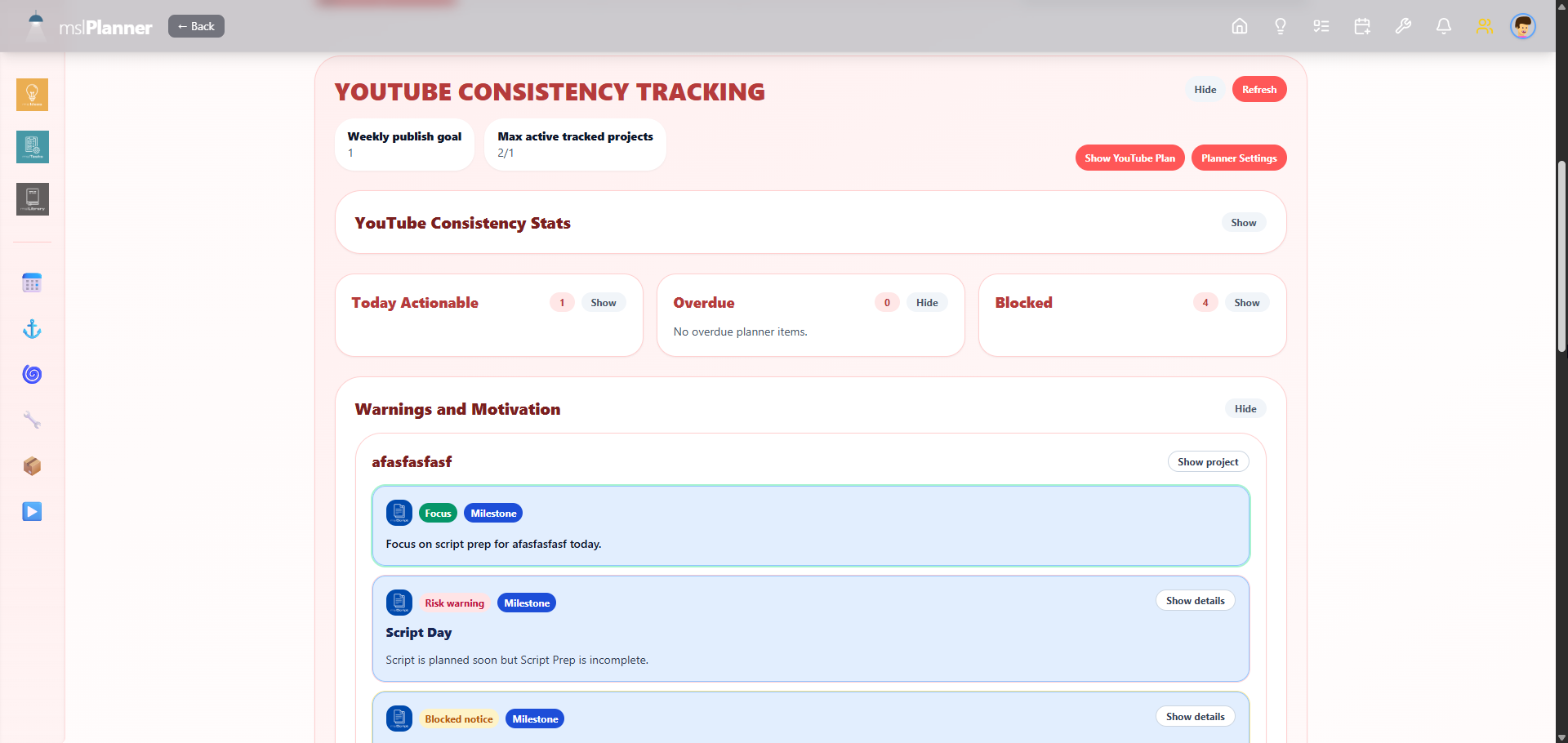
YouTube Consistency

Your Personal YouTube Consistency Engine

Stop breaking your upload schedule and losing momentum. Inside mslPlanner, a dedicated system works alongside your tasks, habits, and events, built specifically for YouTube consistency. The YouTube Consistency Planner is a smart engine that turns your videos into a clear workflow, guiding you step by step so you always know what to do next, when to do it, and how to stay consistent.

  • Track every video from Script → Shoot → Edit → Publish
  • Smart planner that adapts when you fall behind
  • Automatic task flow based on your video type (1, 2, or 3)
  • Only work on what’s actually actionable today
  • Stay focused with active project limits
  • Get reminders, warnings, and progress signals that make sense
Plans & Pricing

Simple Pricing. No Surprises.

Start free. Upgrade when you're ready. Or get lifetime access and never pay again.

🆓 Free
$0
forever free
Get Started Free
  • 1 active project
  • mslScript (basic)
  • mslProduction (9 modules)
  • mslElements (14 types)
  • mslDelivery
  • mslIdeas
  • mslLibrary
  • mslTasks
  • mslPlanner
  • YouTube Consistency Planner (YTCP)
  • Import/Export Projects
  • Future Updates
  • Priority support
  • Latest App Version
  • Early Access to New Features
📅 Monthly
$3.99
per month, billed monthly
Subscribe Monthly
  • Unlimited projects
  • mslScript (latest)
  • mslProduction (9 modules)
  • mslElements (14 types)
  • mslDelivery
  • mslIdeas
  • mslLibrary
  • mslTasks
  • mslPlanner
  • YouTube Consistency Planner (YTCP)
  • Import/Export Projects
  • Future Updates
  • Priority support
  • Latest App Version
  • Early Access to New Features
♾ Lifetime
$150
one-time payment, yours forever
Get Lifetime Access
  • Everything in Yearly
  • Lifetime updates included*
  • All future modules included*
  • Early Access to New Features*
  • No recurring charges ever
  • Eligible for Lifetime Add-ons
  • Direct feedback line to dev
Lifetime Add-ons

Extend Your Lifetime Plan

Exclusive add-ons available only to Lifetime plan holders.

$50
Lifetime Updates

Access to all future updates of the Lifetime License for an additional 365 days
(Requires Lifetime License)

$20
Pack +21 Projects

Adds 21 projects to your current limit.
(Requires Lifetime License)

$30
Pack +52 Projects

Adds 52 projects to your current limit.
(Requires Lifetime License)

Compare

Side-by-Side Plan Comparison

FeatureFreeMonthlyYearlyLifetime
Active Projects1UnlimitedUnlimitedUnlimited*
mslScript (basic)
mslScript (latest)
mslProduction (9 modules)
mslElements (14 types)
mslDelivery
mslIdeas
mslLibrary
mslTasks
mslPlanner
YouTube Consistency Planner (YTCP)
Import/Export Projects
Future Updates✓*
Latest App Version✓*
Early Access to New Features✓*
Price$0$3.99/mo$2.99/mo$150 once

* Depends on Lifetime Add-Ons

How It Works

Your Video. Start to Finish.

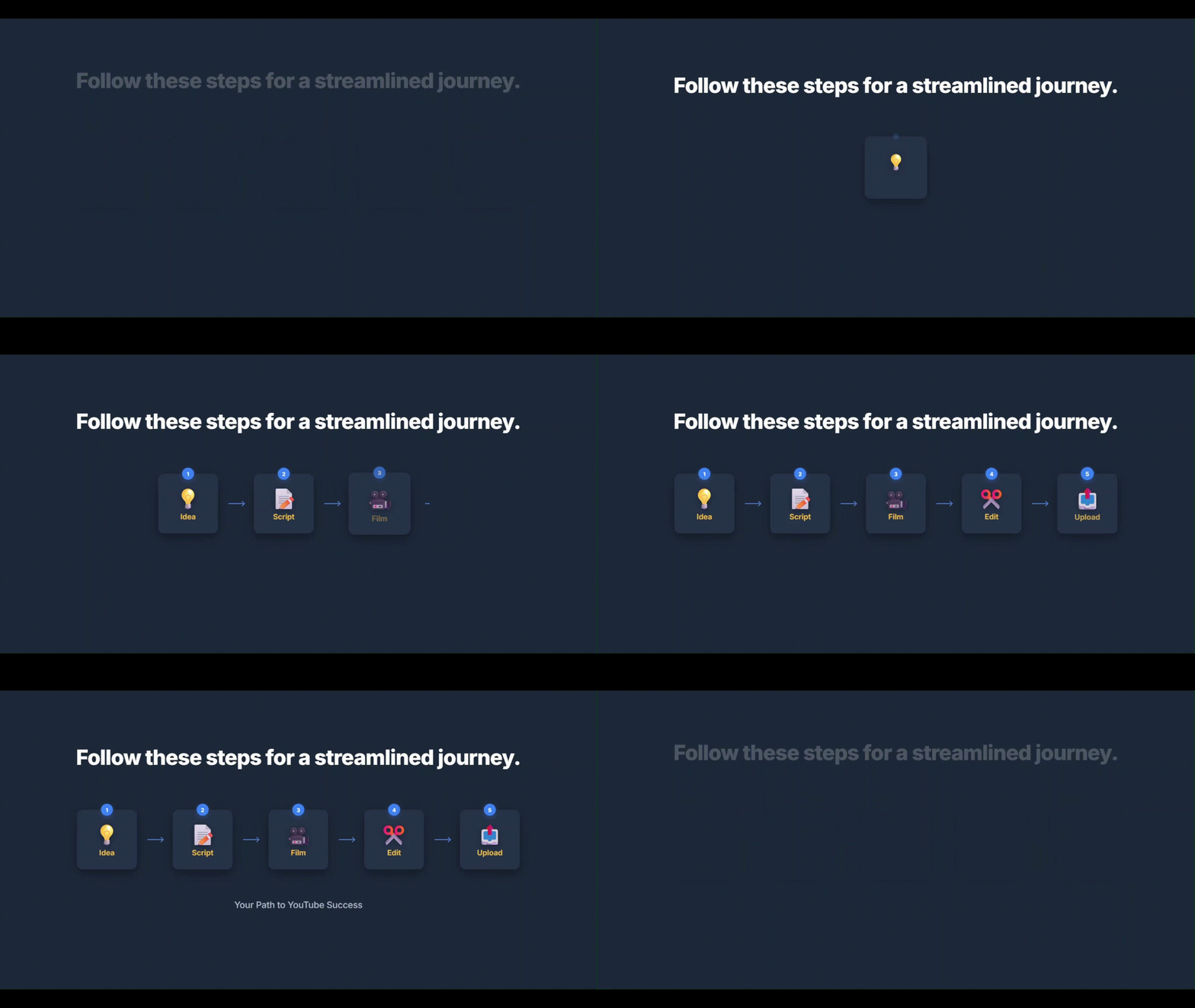
mslStudio HUB guides you through a proven production workflow — from the first spark of an idea to delivery day.

💡

1. Capture the Idea

Log your video idea in mslIdeas with a title, description, and priority. Never forget a great concept again.

📦

2. Build the Packaging

Use mslScript to craft your title, thumbnail concept, and B.E.N.S. packaging. Define how your video will hook and convert viewers.

✍️

3. Write the Script

Work through structured sections in mslScript: hook, promises, main content, and CTA. Use the built-in AI Prompt Assistant for every section.

🎬

4. Expand into Production

In mslProduction, break your script into scenes and shots. Define the visual structure that brings your script to life.

📐

5. Plan the Visual Execution

Use the Shot Planner Canvas, Storyboard, and Moodboard to visualize your shots and creative direction.

🏷

6. Prepare the Edit with Elements

Tag every visual and audio asset in mslElements. Export organized breakdowns to support your editing workflow.

📅

7. Organize the Project

Schedule scripting, shooting, editing, and delivery in mslPlanner. Track habits and stay consistent.

🚀

8. Deliver for Upload

Prep your title, description, tags, and links in mslDelivery. Make publishing day organized, not rushed.

mslStudio HUB

9. Plan. Script. Shoot. Publish. Then do it all again

Repeat the full mslStudio HUB flow with momentum. Each finished video sharpens your system, strengthens consistency, and makes the next production faster to execute.

Stop Switching Apps.
Start Building Better YouTube Videos.

Join creators who want one connected system for scripting, planning, editing support, and publishing.

No credit card required to start. Free plan available forever.