Connected to your script
mslAutoCut consumes the AutoCut JSON exported from mslScript. Your written lines become the reference it aligns your spoken takes against.
mslResolve Tools brings your mslStudio HUB script straight into DaVinci Resolve Studio. Record your takes, and mslAutoCut transcribes them, finds every take, assembles your timeline, and marks the best ones — before you touch a single blade.
Free with any paid mslStudio HUB plan · Windows 10/11 · Requires DaVinci Resolve Studio 21+
We measured it on a real video: a 5m40s recorded script, 19 lines, 8 batches, 23 takes. Manual edit = 7m56s active. With mslAutoCut = ~2 min passive (background transcription) + ~2 min active.
You wrote the script in mslScript. You read it into the camera, three, four, five times per line until you got it right. Then you sat down in Resolve and scrubbed through forty minutes of footage looking for the good takes — retyping, re-listening, re-cutting work your script already described. mslAutoCut closes that loop. It reads your script, listens to your recording, and does the finding for you.
mslAutoCut consumes the AutoCut JSON exported from mslScript. Your written lines become the reference it aligns your spoken takes against.
Transcription happens locally on your CPU. Your footage and audio never leave your computer. Only a licence check talks to mslStudio HUB.
No Python. No command line. No dependencies. The installer bundles everything and configures Resolve for you.
Intelligent auto editing
Transcribes your takes, detects every batch, assembles the timeline, and highlights the best takes automatically.
3D camera & scene tools
Add cinematic 3D camera moves, depth, and scene tools directly inside Resolve.
Dynamic zoom tools
Create smooth, customisable zoom animations with keyframe control and easing presets.
Animated text effects
Create engaging typewriter and text reveal animations with full control.
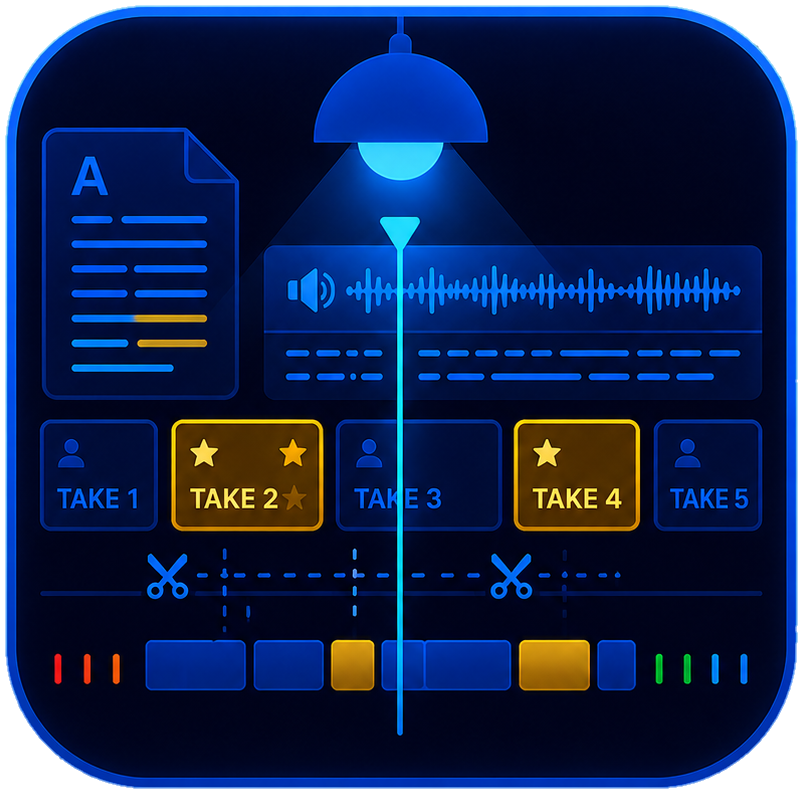
mslAutoCut turns a folder of raw take recordings into a review-ready DaVinci timeline. It transcribes your audio locally, matches what you said against the script you wrote, groups your repeated attempts into takes, lays them out in order on the timeline, and colours the strongest take of each batch yellow — so all that's left is to listen, keep, and delete.
bNNN TNN (batch, take) — sortable, searchable, unambiguous.Build your script in mslStudio HUB as always. Export the teleprompter version to read from — and the AutoCut JSON for the panel.
Read your script to camera. Repeat lines as often as you like. Say "ZULU DELTA" out loud between each batch — that's your marker.
Open mslAutoCut in Resolve, load the JSON, pick your clip, hit Transcribe. Runs in the background while you keep working.
mslAutoCut lists every take it found, groups them into batches, recommends the strongest in each.
One click assembles the full timeline — takes in order, batches marked, recommended takes in yellow.
Listen through, delete what you don't want, and you're at a publishable edit. That's the 75%.
Software can't reliably hear the difference between a clap, a plosive, and a pause. So mslAutoCut doesn't try. Instead, you simply say two words out loud — "ZULU DELTA" — between each batch of takes. The transcription finds those words, marks the boundary, and cleanly removes the marker from your timeline. It works every time, in any room, on any mic.
mslAutoCut cuts the marker out by anchoring on the surrounding SILENCE, not on the word's timestamp — so nothing gets clipped and no "Zu—" bleeds into your first take. If it can't find enough silence, it warns you rather than guessing.
Transcription runs 100% locally on your CPU using an on-device speech model. Your audio and video never leave your computer.
The only thing sent to mslStudio HUB is your activation token, to confirm your subscription is active.
Works offline for up to 7 days between licence checks.
No machine binding. Install on your desktop and your laptop — it's tied to your account, not your hardware.
v1 transcribes on CPU; GPU acceleration is on the roadmap.
| Requirement | Detail |
|---|---|
| Operating system | Windows 10 or Windows 11 (64-bit). macOS support is planned but not yet available. |
| DaVinci Resolve | DaVinci Resolve STUDIO, version 21.0 or newer. The free version is not supported — see below. |
| mslStudio HUB account | An active paid plan: Monthly, Yearly, Lifetime — or an active trial. |
| Internet connection | Required once, to activate and download the speech model during setup. After that, works offline for up to 7 days between licence checks. |
| Disk space | Approximately 2 GB free (engine, runtime, speech model). |
| Administrator rights | Not required. Installs entirely into your own user folders — no UAC prompt, no system changes. |
| Python / dependencies | Not required. Everything is bundled and configured by the installer. |
When you run the installer, Windows SmartScreen will say it "protected your PC" and that the publisher is unknown. Click More info, then Run anyway.
Here's the honest reason: code-signing certificates are issued to registered companies. M SPACE LOG is one person, and I'd rather spend that money on building the tools than on paperwork. When the HUB grows enough to justify registering as a company, mslResolve Tools will be signed and this warning will disappear.
Until then: download only from mspacelog.com, and check the SHA-256 below if you want to be certain the file hasn't been tampered with.
Requires DaVinci Resolve Studio 21+ — the paid version.
Download temporarily unavailableChecking the latest release…
SHA-256 unavailableOnly ever download mslResolve Tools from mspacelog.com.
macOS support is planned. Let me know you want it — reply to any mslStudio HUB email or comment on the channel.
Windows will warn you — click More info → Run anyway.
Paste your activation token from your mslStudio HUB account page (Account → mslResolve Tools → Generate token).
mslAutoCut is selected by default.
The first run downloads the speech model (~250 MB). Happens once.
Open DaVinci Resolve Studio → Workspace → Scripts → Utility → mslAutoCut.
The panel opens already activated.
| Plan | mslResolve Tools |
|---|---|
| Free | – Not included |
| Monthly | ✓ Included |
| Yearly | ✓ Included |
| Lifetime | ✓ Included, forever |
| Trial | ✓ Included for the length of your trial |
mslResolve Tools isn't a separate purchase. It's included with every paid mslStudio HUB plan — and with your trial. If you're already subscribed, generate your activation token and download it now.
Bring your mslStudio HUB script into DaVinci Resolve Studio and let mslAutoCut build the timeline.